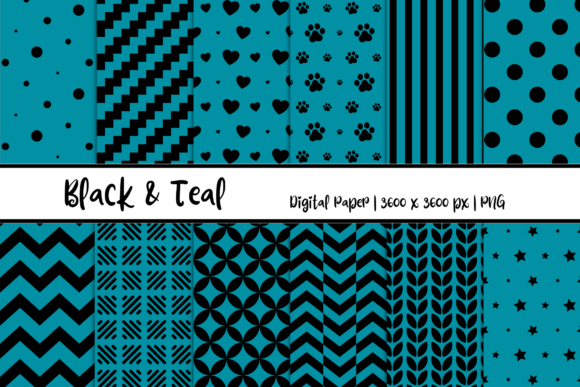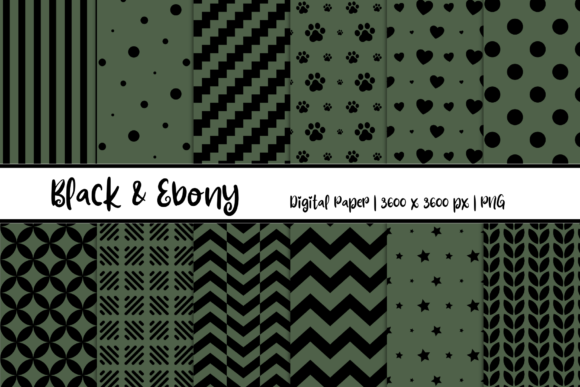
Black Denim Patterns Digital Paper: A Practical Asset for Creative Workflows
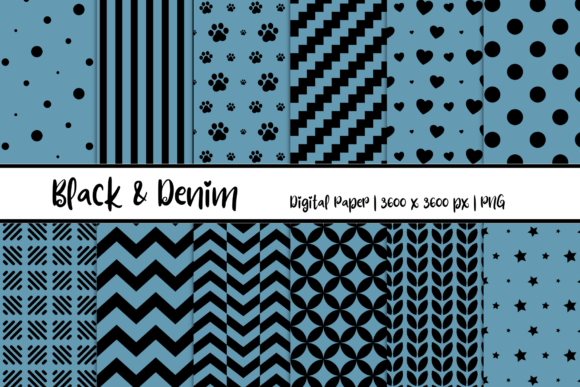
Every creative project begins with a foundation. Whether you are designing an invitation, building a social media campaign, or assembling a scrapbook, the visual textures you choose set the tone for everything that follows. Black Denim Patterns Digital Paper offers a distinctive, tactile aesthetic that mimics the look and feel of denim fabric, rendered in a dark, versatile palette. This collection of twelve high-resolution PNG files, each sized at 3600 x 3600 pixels, is not just a decorative element — it is a practical tool that can streamline your design process, maintain visual consistency, and expand your creative possibilities without requiring additional texture generation or manual pattern creation.
Understanding What Black Denim Patterns Digital Paper Brings to Your Process
Digital paper, sometimes called patterned paper or digital scrapbook paper, is essentially a pre-made texture or pattern stored as a high-resolution image file. The black denim variant simulates the woven texture of denim fabric in dark tones — from deep charcoal to near-black with subtle variations in weave density and thread texture. Unlike generic solid backgrounds, these patterns carry the visual weight and organic irregularity of real fabric, making them suitable for projects where you want a grounded, slightly rugged, or casual feel without resorting to literal fabric scans.
The 3600 x 3600 pixel resolution is a critical detail. At 300 DPI, that translates to a 12-inch by 12-inch print area, which covers most standard paper sizes for invitations, cards, and small posters. For digital use, this high resolution allows you to crop, scale, and tile the pattern without noticeable pixelation. The PNG format preserves transparency where applicable and supports lossless compression, so the texture detail remains sharp across multiple editing sessions and exports.
Where This Asset Fits in a Typical Creative Workflow
In practice, Black Denim Patterns Digital Paper serves as a middle-stage asset in most workflows — it comes into play after you have established your project parameters but before you finalize typography, layout, or export. You might use it during the substrate selection phase of a print project, where you choose the paper or digital background that will carry your content. Alternatively, it can function as a texture overlay applied late in the editing process to add depth and tactile feel to an otherwise flat composition.
Consider a typical card design workflow. You begin with an idea and a sketch. You select a color palette and gather your assets. At the point where you would normally choose a solid background or a generic gradient, you instead open one of the denim pattern files and drop it into your design software. The pattern instantly provides a visual anchor. You then layer your typography, illustrations, or photographs on top, adjusting opacity or blending modes to integrate the texture naturally. The denim pattern never competes with your content — it supports it.
For web and social media design, the pattern works similarly. You might use it as a banner background, applying it at a lower opacity so text remains legible. Because the pattern has visual interest but low color contrast (dark on dark), it functions well as a noise texture that reduces the flatness of solid black or dark gray backgrounds without distracting from foreground elements.
Practical Integration Across Different Use Cases
The versatility of this digital paper set lies in its ability to work across multiple creative domains without requiring specialized knowledge. Here is how you can integrate it into specific project types:
Invitations and Card Creation
For wedding, birthday, or event invitations with a casual, industrial, or modern theme, black denim provides a textured backdrop that pairs well with metallic foils, white or cream typography, and minimalist layouts. Open the PNG in your design software (Adobe InDesign, Canva, Affinity Publisher, or even Microsoft Word) and resize it to your card dimensions. Because the file is 3600 px square, you can create a full-bleed background without tiling for standard card sizes up to 12x12 inches. For smaller cards, you have resolution to spare, allowing you to rotate or reposition the pattern for the most visually pleasing crop.
To maintain print quality, keep the file in PNG format and avoid excessive compression. If your print provider requires CMYK conversion, do so only at the final export stage to preserve the pattern's tonal range.
Scrapbooking and Craft Projects
Digital scrapbooking relies heavily on layered textures. The black denim pattern can act as a background sheet, a mat behind photos, or a journaling card base. Because the set includes twelve distinct variations, you can mix and match patterns within a single layout — using a tighter weave for one element and a looser, more textured weave for another. This adds visual depth without requiring you to manually adjust contrast or texture settings across multiple layers. Organize the twelve files by naming them descriptively (weave density, shade, direction of weave) so you can quickly locate the right pattern during a project.
Web Design and Social Media Banners
For digital use, the high-resolution file allows you to generate responsive backgrounds that look consistent across devices. In CSS, you can use the PNG as a repeating background tile. Because the pattern is relatively seamless (most denim textures tile acceptably), you can set background-repeat: repeat and achieve a continuous fabric effect without visible seams on larger screens. For social media banners — Instagram Stories, Facebook covers, LinkedIn banners — import the image directly into your editing app, overlay your text, and export at the platform's recommended dimensions. The 3600 px width gives you enough pixel data to crop to any standard banner size without upscaling.
Graphic Design and Brand Assets
If you are developing a brand identity for a clothing line, a denim-focused retail store, or a lifestyle blog with a rugged aesthetic, these patterns can inform your visual language. Use a denim texture as a watermark, a subtle background on website headers, or a texture applied to mockups of apparel tags, stationery, or packaging. Because the pattern is neutral and dark, it works across both digital and print touchpoints without clashing with other brand colors. You can also layer the texture with a color overlay in Photoshop or Affinity to tint the denim toward a brand-specific dark hue while retaining the fabric texture.
Preparation and Organization for Efficient Use
To get the most out of this set, invest a few minutes in preparation before you start a project. Unzip the files into a dedicated folder named Black Denim Patterns within your larger design assets library. If you use a digital asset manager (DAM) or a tool like Eagle, Bridge, or even a well-structured Google Drive, tag each file with relevant keywords: denim, texture, dark, fabric, pattern, black, weave, background. This will save you time later when you are searching for a specific texture amid hundreds of other assets.
Consider creating a set of derivative files in common formats and color spaces. For example, convert one or two patterns to grayscale if you anticipate monochrome projects. Create a 1920x1920 px web-optimized version for faster loading in digital projects, and keep the original 3600 px version reserved for print. This separation prevents accidental export of oversized files for web use and ensures you always have the full-resolution source available.
If you work in a team, establish a naming convention. Something like black-denim-weave-tight.png, black-denim-weave-loose.png, black-denim-diagonal.png makes it immediately clear which pattern is which. This is especially valuable when multiple team members pull assets into shared projects — no one wastes time opening files to preview them.
Compatibility with Common Design Tools
The PNG format is universally supported. You can import these files into nearly every design application without conversion or plugin requirements. Adobe Photoshop, Illustrator, InDesign, Affinity Photo, Canva, Procreate, GIMP, CorelDRAW, and even presentation tools like PowerPoint and Keynote accept PNG files natively. This means you are not locked into a specific ecosystem — if you switch from Photoshop to Affinity or from Canva to InDesign, your denim patterns will still work.
In layer-based software, treat the pattern as a smart object (Photoshop) or an embedded file (Illustrator). This preserves the original resolution and allows you to resize, rotate, or apply blending modes without degrading the texture. If you plan to use the pattern repeatedly across multiple documents, save it as a pattern swatch in your application's library for one-click access.
Quality Control and Consistency Across Projects
Consistency is often overlooked when using pre-made textures. Because digital paper is a static image, you must ensure it maintains its visual quality across different output mediums. For print, always preview at 100% zoom to confirm the weave detail is sharp and not oversharpened. Check that the pattern does not introduce moiré effects when printed on certain paper stocks — this is rare with denim textures because the weave is irregular, but it is worth verifying on a test print.
For digital projects, watch the file size. A 3600x3600 px PNG can range from 5 to 15 MB depending on the pattern's complexity. This is fine for print and for download packages, but for web use, consider compressing with tools like TinyPNG or exporting a JPEG version at quality 85% to balance file size and visual fidelity. If you are using the pattern as a tiled background, the browser will need to load the full image only once, so keep the file as small as possible without visible artifacts.
When combining multiple denim patterns in a single design — for instance, using three different weaves across a multi-page document — verify that the tonal range is consistent. Black denim patterns can vary slightly in brightness due to the weave direction and thread thickness. If one pattern looks significantly lighter or darker than another, adjust levels or curves in your editing software to bring them into harmony. This ensures your final product feels intentional rather than assembled from disparate assets.
Long-Term Use and Asset Management
Digital papers are not one-use assets. With proper storage and organization, Black Denim Patterns Digital Paper can serve you for years across dozens of projects. After each use, return the original file to your library without modification. If you create a customized version (tinted, cropped, or with effects applied), save it as a new file with a name that reflects the modification, keeping the original pristine. This practice prevents accidental overwriting and preserves the full range of pattern options for future projects.
Consider backing up your digital paper collection to cloud storage or an external drive. Losing a set of carefully curated textures is frustrating, especially when you rely on a specific pattern for a recurring project — such as a monthly newsletter background or a standard invitation template. A backup ensures continuity in your workflow without requiring a last-minute search for replacements.
Working with the Texture in Real Projects
Here is a practical workflow example for a small business owner creating a promotional flyer for a denim repair service. Open your design software and create a new document at 8.5x11 inches at 300 DPI. Import the black denim pattern file and scale it to fill the page. Reduce the opacity to 30 percent and apply a soft overlay blending mode. This leaves you with a subtle, tactile background that suggests the material without overwhelming the text. Add your headline in bold white sans-serif, a subhead in gray, and a call-to-action button in a contrasting color like burnt orange or mustard. Export as a PDF for print and as a JPEG for social sharing. The entire process, from opening the pattern to final export, takes under fifteen minutes — and the denim texture elevates the design from a plain document to something that visually aligns with the service being offered.
For a blogger creating a featured image for an article on denim care, the same pattern works as a top-and-bottom banner strip over a central photo. Drop the pattern into a new layer, rotate it 90 degrees if the weave direction works better horizontally, and use a layer mask to fade the edges. The result is a cohesive, editorial look that reinforces the article topic without requiring custom photography or expensive texture packs.
Final Observations on Workflow Integration
Assets like Black Denim Patterns Digital Paper are most valuable when they reduce friction in your creative process. You do not have to design a denim texture from scratch, source fabric scans, or adjust lighting to get a realistic weave effect. The work is already done. Your role is to select the right variation, position it effectively, and let the texture do its job as a supporting element. By treating this digital paper as a reliable component in your asset library — something you can reach for without hesitation — you free up mental energy for the parts of the project that require your unique creative judgment: typography, composition, messaging, and visual storytelling.
Whether you are preparing a batch of event invitations, designing a brand's visual identity, assembling a digital scrapbook, or producing consistent social media banners, pre-made textures eliminate repetitive groundwork. They allow you to maintain a high standard of visual quality across projects while spending less time on technical setup. That is the practical value of a well-made digital paper set — and it is why it deserves a dedicated place in your workflow.