Stars Digital Patterns 015: Digital Paper for Endless Creative Projects
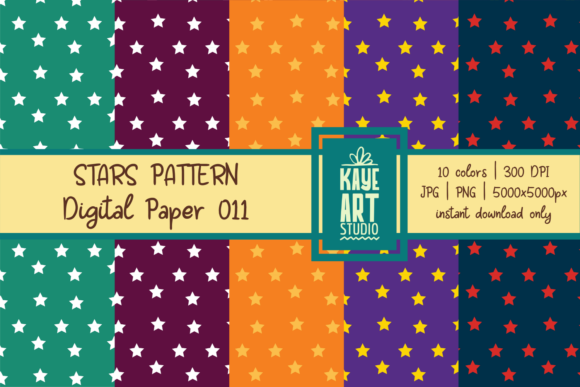
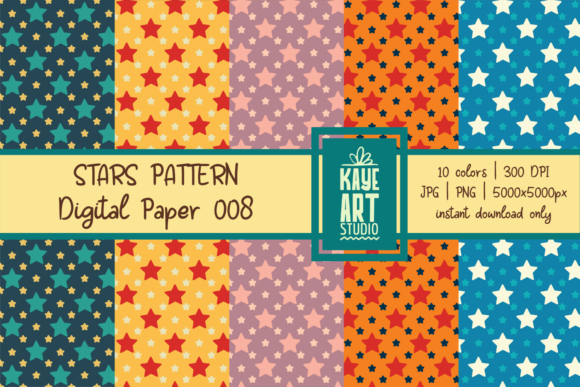
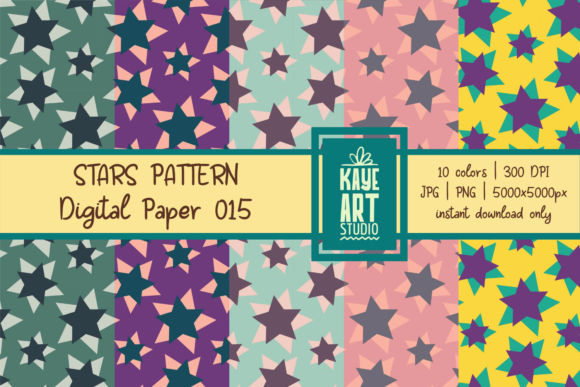
If you have ever looked for a versatile set of digital papers that can handle scrapbooking, photo albums, stationery, invitations, printables, and print-on-demand items, you may have noticed how hard it is to find a cohesive collection that works across so many formats. Stars Digital Patterns 015 is a set of ten digital papers available in both JPG and PNG formats, each file sized at 5000x5000 pixels with a 300 DPI resolution. This is a digital file only, so no physical product will be sent to you. What makes these papers useful is not just the resolution or the file types but the range of practical situations where they fit naturally.
Whether you are a small business owner creating product lines, a hobbyist working on personal albums, or an educator designing classroom materials, having a set of well-crafted papers that do not require additional editing or resizing saves time and reduces friction. You receive the files, you use them. No complicated setup, no learning curve. Just ten patterns ready to be placed into whatever project you have in mind.
Where Stars Digital Patterns 015 Fits Into Real Projects
When you download Stars Digital Patterns 015, you are getting a set of papers that can be inserted into digital layouts, printed at home, or sent to a commercial printer. Because each file is 5000x5000 pixels at 300 DPI, you can scale them for large prints without losing clarity. This matters if you plan to use them for posters, banners, or large scrapbook pages. The JPG and PNG options give you flexibility: JPG keeps file sizes manageable for quick work, while PNG supports transparent backgrounds if you need to layer elements without a white box around the paper.
One of the first places people use these papers is in digital scrapbooking. If you document family events, travel, or everyday life, having a set of consistent patterns means your pages look coordinated without you having to design every element from scratch. You can use the same paper for background layers, photo mats, and accent pieces, and the 5000 pixel size means you can crop and resize without losing quality. The same applies to photo albums: you can print full-page backgrounds, create divider pages, or use the papers as cover sheets.
Scrapbooking and Photo Albums
For anyone who maintains physical or digital scrapbooks, the challenge is often finding papers that match the mood of the photos without overwhelming them. Stars Digital Patterns 015 gives you ten distinct patterns that can work as subtle backgrounds or bold accents. If you are creating a travel album, you might use one pattern for the title page and another for the inner pages. If you are documenting a child's first year, you can keep a consistent look across multiple months. The 300 DPI resolution ensures that when you print these papers at home or at a local print shop, the colors and details remain sharp.
Another practical scenario involves creating photo album inserts for gifts. Instead of buying pre-made albums, you can print your own pages using these papers. Print two copies of the same pattern, use one as a background and the other for cut-out elements like frames or tags. Because you have ten patterns, you can mix and match across a single album without repeating the same look too often.
Stationery and Invitations
Stationery is one of those areas where small details make a big difference. Whether you are designing personal letterhead, thank-you cards, or formal invitations, the paper you choose sets the tone. Stars Digital Patterns 015 can serve as the base for these items. If you are planning a wedding or a birthday party, you can use one pattern for the invitation, another for the RSVP card, and a third for the envelope liner. Because all files come in the same resolution and format, you can maintain visual consistency across the entire suite.
For small business owners who sell stationery on platforms like Etsy or at local markets, having a set of papers that print well at home or at a print shop is essential. You can create digital templates using these papers, then sell the final printed product or the digital file itself. Since this is a digital file only, you retain control over how you use the patterns. You are not limited by pre-printed stock or physical inventory.
Printables and Print on Demand
Print on demand has become a practical way for creators to sell products without holding inventory. With Stars Digital Patterns 015, you can design printables such as wall art, planner inserts, gift tags, bookmarks, and greeting cards. The large file size means you can create products that require high resolution, like posters or framed prints. If you sell on platforms that require specific dimensions, you can crop the 5000x5000 pixel files to fit without losing detail.
For example, if you want to create a set of printable gift tags for the holiday season, you can place multiple tags on one sheet using the same pattern, then cut them out. If you run a print-on-demand shop that sells notebooks, you can use the patterns for covers, endpapers, or divider pages. The 300 DPI standard ensures that commercial printers will accept the files without complaining about resolution.
Other Creative and Commercial Uses
Beyond the obvious categories, Stars Digital Patterns 015 can be used in ways that might not come to mind immediately. Educators and tutors can use the papers as backgrounds for worksheets, flashcards, or classroom decorations. Bloggers and content creators can use them as backdrops for product photography or as overlays in social media graphics. Because the patterns are digital, you can resize them for Instagram posts, YouTube thumbnails, or Pinterest pins.
Hobbyists who enjoy paper crafting, card making, or journaling can print these papers on sticker paper, cardstock, or fabric sheets. If you make handmade cards, you can cut the paper to size, layer it, or use it as a base. If you bullet journal, you can print the patterns on thin paper and insert them as tip-in pages. The variety of patterns gives you options for different seasons, moods, or themes.
What to Consider Before Using Stars Digital Patterns 015
Before you start using these papers, there are a few practical things to keep in mind. First, since the files are 5000x5000 pixels, they are large. Make sure your software can handle files of that size. Programs like Adobe Photoshop, Affinity Photo, Procreate, or even free tools like GIMP and Canva (in some cases) can open and edit these files. If you are printing at home, check your printer's maximum paper size and resolution settings. For best results, use a printer that supports high-quality photo paper or matte cardstock.
Second, because this is a digital file only, you are responsible for the printing or further digital use. You will not receive physical samples. If you plan to sell products made from these papers, check the license terms that come with your purchase. Some digital paper sets allow commercial use, while others restrict it. Make sure you understand what you are allowed to do before you put items up for sale.
Third, consider how you will organize the files. With ten JPG and ten PNG files, that is twenty files total. Name them clearly or sort them into folders by pattern type or color scheme. This will save you time when you are in the middle of a project and need to find a specific paper quickly.
How Different Users Benefit from Stars Digital Patterns 015
A freelance graphic designer might use these papers as quick backgrounds for client mockups, saving hours of creating patterns from scratch. A small business owner selling party supplies can create matching invitation sets, banner backgrounds, and cupcake toppers using the same set of papers. A teacher can print the patterns on adhesive paper to create classroom labels, name tags, or reward charts. A parent scrapbooking their child's school years can maintain a consistent visual style across multiple albums without buying dozens of individual paper packs.
The real value of a set like Stars Digital Patterns 015 lies in how many different projects one download can serve. You are not locked into a single use. The same paper that works for a wedding invitation can also work for a classroom poster or a product photo backdrop. The key is to think of these papers as raw material that you can adapt, crop, layer, and combine to suit whatever you are making.
Practical Examples to Get You Started
- Birthday party kit: Use one pattern for the invitation, another for the thank-you cards, and a third for the banner background. Print on cardstock at home or at a local print shop.
- Planner stickers: Print the papers on sticker paper, cut out shapes like circles or rectangles, and use them to decorate your planner or journal.
- Wall art prints: Choose a pattern that complements your room, print it at 8x10 or 11x14, frame it, and hang it. Because the file is 5000x5000 pixels, you can go larger without pixelation.
- Product photography backgrounds: Place small items like jewelry, soap, or stationery on a printed pattern to create a consistent look for your online shop.
- Digital invitations: Use the PNG version for the background of an email invitation or social media event graphic. The transparent option lets you overlay text easily.
Each of these examples comes from a real situation where having a set of coordinated, high-resolution papers makes the process smoother. You do not need to design anything from scratch. You just open the file, place it in your project, and move on to the next step.
Making the Most of the JPG and PNG Formats
Both file formats are included for a reason. JPG files are smaller and easier to use when you do not need transparency. They open quickly in most programs and are fine for backgrounds where a white border is not a problem. PNG files are larger but give you a transparent background, which is essential if you want to layer the paper over another color or image. For example, if you are creating a layered scrapbook page with a photo on top of the paper, the PNG version lets you place the photo directly over the pattern without any white box around it.
Decide which format works best for each step of your project. If you are printing, JPG is usually fine. If you are working in a digital layout with multiple layers, PNG gives you more flexibility. Having both options in one download means you do not have to convert files yourself or lose quality in the process.
Final Observations on Using Digital Papers
Stars Digital Patterns 015 is not a one-size-fits-all solution, but it comes close for anyone who regularly works with digital paper in creative or commercial projects. The 5000x5000 pixel size at 300 DPI means you can trust the files to hold up in both digital and print use. The ten patterns give you enough variety to cover multiple projects without feeling repetitive. And the inclusion of both JPG and PNG removes the guesswork about which format to use.
If you are someone who values efficiency and wants to spend more time making and less time prepping, this set of papers is worth considering. Whether you are designing for yourself, for clients, or for a shop, the time saved by starting with a ready-to-use pattern is time you can put into the parts of the project that actually need your creative input.